
LinkedIn-first, AI-assisted prospecting raises personalized reply rates and speeds pipeline generation when it is paired with tight ICP lists and research-first messaging. The fastest way to start is simple: build or update one Persona in Sales Navigator, save a filtered lead search, and run a small cadence before scaling. Expect better replies and faster meetings, not instant closed deals.
TL;DR:
- Advanced and Advanced Plus plans provide Account IQ, Lead IQ, and Message Assist; lower tiers retain filters and alerts, but drafting remains English only beta.
- Start with 20 to 30 prospects, verify every personal detail before sending, and scale only after a complete follow up cycle produces results.
- Compare control and AI cohorts with the same audience, sender, and cadence, then track replies, meetings, conversion, and qualified pipeline weekly by variant.
- The company reports reply rates of 13% to 14%, with programs reaching steady state within 90 days; humans should handle replies and verify personalization.
- Teams that lack at least two readiness requirements should consider managed support rather than stretching limited staff across outbound, CRM logging, and daily reply handling.
Table of Contents
- How AI Transforms LinkedIn Prospecting
- Operational Workflow: From Sourcing to CRM Sync
- Message Personalization and Best Practices
- Measure, Optimize, and Scale Your Program
- How We Run LinkedIn-First AI Outreach and What We Report
- Readiness Checklist: Build It In House or Bring In Managed Help
- Next Steps: Outbound, the Blueprint, and the AI Dialer
- FAQ
- Sources
How AI Transforms LinkedIn Prospecting
AI inside LinkedIn's own platform changes three things: who you target, what you say to them, and when you reach out. The targeting layer gets sharper because Sales Navigator's AI-assisted features surface pre-call briefs instead of raw profile data, and the timing layer improves because saved searches and alerts flag the moment a prospect becomes reachable, such as a job change or a hiring surge.
The capabilities worth knowing, in practical terms:
- Advanced search filters: over 50 filters across LinkedIn's member base let you narrow by title, seniority, company size, growth signals, and more.
- Personas: saved buyer profiles that keep your search criteria consistent across a team.
- Account IQ: an AI-generated account brief that pulls company context into one summary before a call.
- Lead IQ: the individual-level counterpart, summarizing a prospect's background and recent activity.
- Buyer Intent: a score (High, Moderate, Neutral, or Negative) built from LinkedIn activity, ad engagement, InMail responses, and Insight Tag data, tied to individual members rather than company-level guesses alone.
- Message Assist: an AI drafting tool that combines Lead IQ and Account IQ signals to write InMail drafts.
- Smart Links: trackable content links that show you who opened what, and when.
- TeamLink: warm-path introductions through colleagues' existing connections.
Most of this AI intelligence, including Account IQ, Lead IQ, and Message Assist, sits on Advanced or Advanced Plus plans, so a team on a lower tier will see the search filters and saved alerts but not the AI-generated briefs. Message Assist is also still in public beta, English-only, with a monthly drafting cap, and recipients are never notified that a draft started as AI output.
It helps to know what this layer cannot do. Sales Navigator's AI is strong at surfacing the right person and giving you a pre-call brief, but it does not record or transcribe calls and has no post-call deal intelligence. Teams that need visibility into what actually happened on a sales call still need a separate conversation intelligence tool alongside platform prospecting.
Operational Workflow: From Sourcing to CRM Sync
A repeatable LinkedIn-first workflow has five steps, and skipping any one of them is usually where reply rates collapse.
- Define your ICP and map it to filters. Translate your ideal customer into concrete Sales Navigator filters: industry, headcount, seniority, geography, and growth signals like recent funding or headcount change. A detailed walkthrough of mapping ICP attributes to Sales Navigator filters is worth reviewing before you build your first list.
- Save searches and set alerts. Saved searches generate weekly alerts on job changes, content engagement, and leadership moves, which gives you a steady stream of timely triggers instead of a static list that goes stale.
- Enrich and qualify. Run Account IQ and Lead IQ against your shortlist, and pull in external data where Sales Navigator leaves gaps. A Boolean-based checklist for building accurate Sales Navigator lists helps catch false positives before they waste a message.
- Design the cadence. A LinkedIn-first sequence typically runs: connection request, a research-first first message, a Smart Link to relevant content, then one or two follow-ups spaced several days apart. Keep daily connection requests and messages within LinkedIn's normal usage patterns to avoid account restrictions.
- Set human-in-loop rules. Decide upfront who reads and answers replies, and make CRM logging mandatory the moment a prospect responds, not at the end of the week.
Pro Tip: Throttle new cadences to a small batch of 20 to 30 prospects first, confirm the message lands the way you expect, then scale the list size instead of the message volume.
A short operational checklist keeps the workflow honest: one Persona per ICP segment, one saved search per Persona, a weekly alert review, and a CRM field that captures which cadence step triggered each reply. Without that last piece, it becomes impossible to tell which part of the sequence is actually working.
Message Personalization and Best Practices
Personalization only works when it is anchored to something true and specific. The fields that consistently improve replies are a recent post the prospect published, a job change, a mutual connection, or a company event like a funding round or product launch. Generic flattery about a "great profile" does the opposite of what senders intend.
A workable message structure looks like this across the cadence:
- Connection request: one line referencing a specific, verifiable detail, no pitch.
- First message: a short observation tied to that detail, followed by a question, not a product description.
- Smart Link follow-up: a piece of relevant content shared through a trackable link, which tells you who engaged before you message again.
- InMail (when used): reserved for higher-value targets where a connection request is not yet accepted, and still research-first rather than templated.
A practical comparison of when InMail actually outperforms a direct message is useful when deciding which channel to lead with for a given account tier.
AI is useful for drafting structure and tightening phrasing, but the specific factual hook, the post reference or the job change, should stay human-verified. Letting AI invent a detail that sounds personal but is not accurate is the single fastest way to lose credibility with a prospect who checks your claim against their own profile.

Pro Tip: Run A/B tests on one variable at a time: the opener line, the call-to-action phrasing, overall message length, or the content linked in the Smart Link, so you know exactly what moved the reply rate.
Internal data on personalized LinkedIn messaging shows how much reply rates can shift once messages move from generic to research-first, which is the gap worth closing before scaling volume.
Measure, Optimize, and Scale Your Program
Four numbers tell you whether a LinkedIn-first program is working: reply rate, meetings booked, meeting-to-deal conversion, and qualified pipeline value. Track them weekly per cadence variant, not just in aggregate, or you will not know which message structure is actually driving results.
To run a real lift test, split your prospect list into a control cadence and an AI-assisted cohort, keep everything else equal (same ICP segment, same send cadence, same sender), and let both run long enough to clear at least one full follow-up cycle before comparing results. A sample that is too small or a test cut short before follow-ups complete will produce noise, not a signal.
Scaling levers once a cadence has proven effective:
- Throughput: add more prospects to a proven cadence before experimenting with a new one.
- Personalization templates: codify the message structures that already work into reusable frameworks, not verbatim copy.
- Human reply handling: assign clear ownership so replies get answered within hours, not days.
- Team roles: separate the person building lists from the person handling replies once volume justifies it.
Governance matters as volume grows. Staying within LinkedIn's normal usage patterns for connection requests and messages protects the account, and a periodic review of message quality prevents a scaled cadence from drifting into spam. Buyer Intent signals are useful here too, since prioritizing accounts already showing activity tends to outperform blind volume increases.
Reply rates in a low double-digit percentage range are reported internally for LinkedIn-first, research-first AI outreach programs, a useful benchmark when judging whether your own cadence is underperforming or on track.
How We Run LinkedIn-First AI Outreach and What We Report
Our approach starts with signal-driven targeting: we map a client's ICP to Sales Navigator filters, then prioritize accounts and individuals already showing intent signals rather than messaging a flat list in order. Every message is research-first, built on a specific, verifiable detail from the prospect's activity, and every reply is handled by a human, not auto-responded.
We report reply rates of 13% to 14% across LinkedIn-first, research-first campaigns, and clients typically see outreach automation reach steady state within 90 days. Programs built on this model regularly book a significant number of qualified meetings each month with a lean operating footprint on the client side.
A compact checklist for teams adopting this model:
- Measure first: reply rate and meetings booked, before chasing any other metric.
- Own replies: assign one person to handle responses within hours, every day the cadence runs.
- Automate the draft, not the judgment: let AI handle message structure and Account IQ or Lead IQ summaries, and keep a human checking the specific personalization detail before it sends.
- Prioritize by intent: use intent data combined with ICP fit to decide who gets messaged first, not just who matches the filter.
Readiness Checklist: Build It In House or Bring In Managed Help
Teams with a dedicated SDR function, clean CRM data, and spare capacity to run A/B tests are well positioned to build this in house using Sales Navigator's native AI features. Teams without that capacity, especially at Series A or B where the founder or a single sales hire is covering outbound, pipeline, and closing all at once, tend to lose the research-first discipline the moment volume increases.
A short readiness check before deciding: is your ICP defined clearly enough to map to filters today, is your CRM already logging LinkedIn activity, do you have budget for Advanced or Advanced Plus features, and does anyone on the team have hours free to own replies daily. A team that answers yes to all four can likely run this internally. A team that answers no to two or more will get more reliable pipeline faster from a managed engagement than from a part-time internal effort stretched too thin. A useful comparison of warm LinkedIn outreach against classic cold calling is worth reading before committing either way.
— Chad
Next Steps: Outbound, the Blueprint, and the AI Dialer
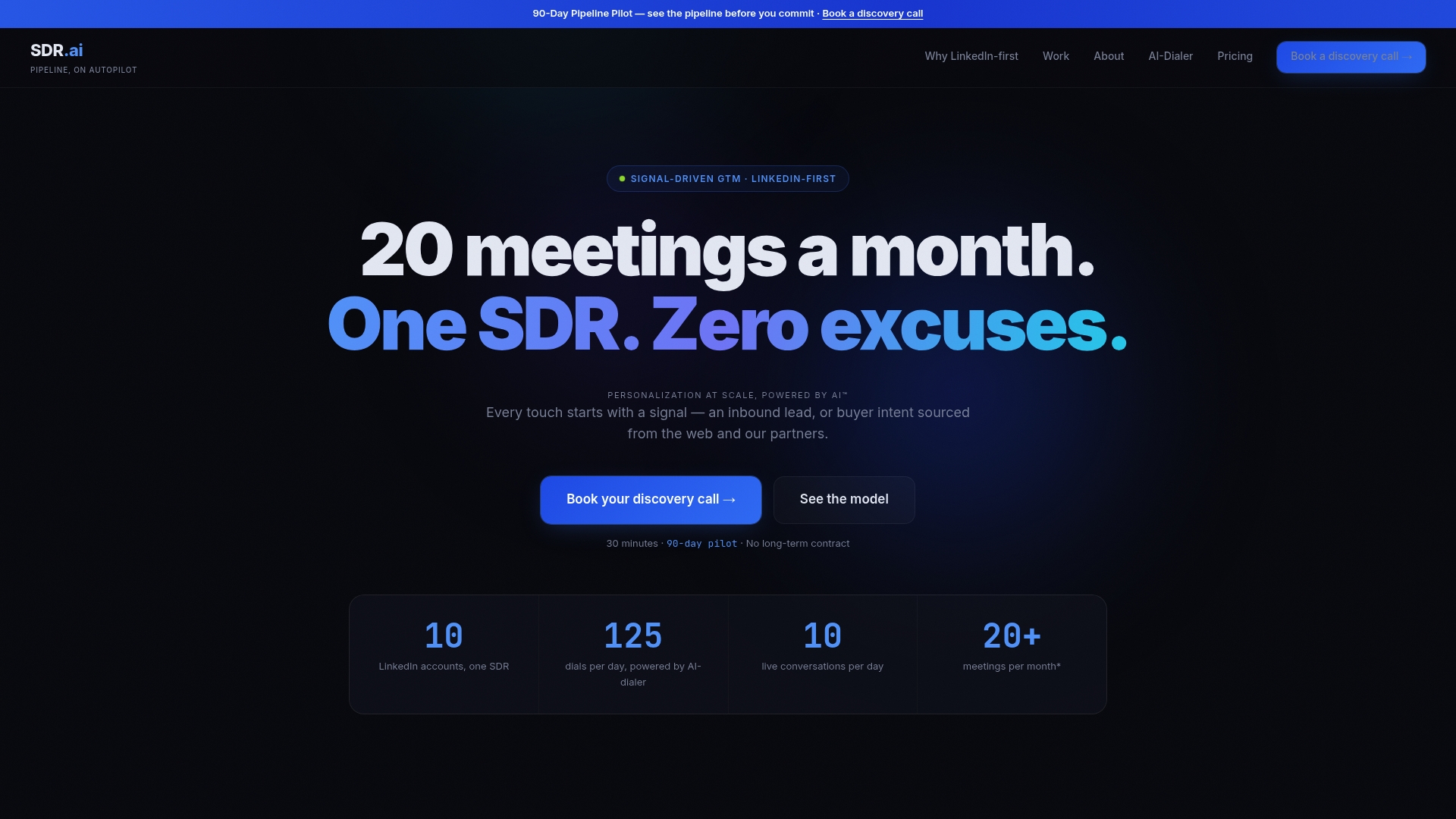
If your team has the readiness but not the hours, AI-Powered Outbound runs the full LinkedIn-first model for you: signal-driven targeting, research-first messaging, and human reply handling. Pricing details are available on our main offering page.
- AI-Powered Outbound suits Series A/B teams that want the full managed cadence running without building an SDR function first.
- The SDR.ai Blueprint is our productized playbook for teams that want to run the model themselves, available on our blueprint page.
- AI-Dialer adds warm calling on top of outreach, with additional details and pricing available through our AI-Dialer page.
Clients typically see outreach automation stabilize within 90 days, with programs regularly booking more than 20 qualified meetings a month. For teams pairing AI drafting with structured coaching to cut ramp time further, combining AI training with 1:1 coaching is a useful complement to any of the above.
See the full model, including pipeline math, on our walkthrough video, or go straight to booking a demo to see how it maps to your own ICP.
FAQ
What makes LinkedIn prospecting with AI different from manual outreach?
AI tools inside Sales Navigator generate pre-call briefs through Account IQ and Lead IQ, score buyer intent from platform activity, and help draft InMail through Message Assist, which removes much of the manual research step. The result is faster targeting and more consistent personalization, though reply rates still depend on a factual, verifiable detail in each message rather than the AI draft alone.
Do I need a paid Sales Navigator plan to use AI prospecting features?
Yes, most AI intelligence features, including Account IQ, Lead IQ, and Message Assist, require an Advanced or Advanced Plus plan. Lower-tier plans still offer the core search filters and saved-search alerts, but not the AI-generated briefs or drafting assistance.
How do I know if my AI-assisted LinkedIn outreach is working?
Track reply rate, meetings booked, meeting-to-deal conversion, and qualified pipeline value weekly by cadence variant.
Is it safe to automate LinkedIn connection requests and messages?
Staying within LinkedIn's typical usage patterns for daily connection requests and messages protects your account from restrictions, and human review of each AI-drafted message before sending helps maintain the platform's expectation of genuine, one-to-one outreach. Buyer Intent and other signal data should guide prioritization, not replace the judgment call on what to send.
Should I build this in house or use a managed AI SDR service?
Teams with clean CRM data, a defined ICP, and spare hours to own replies daily can run this using Sales Navigator's native tools. Teams without that capacity typically see faster, more reliable pipeline from a managed engagement like our AI-Powered Outbound service.
Sources
- LinkedIn Sales Navigator features — Pipeline (ZoomInfo)
- AI in sales: How artificial intelligence enhances team performance — LinkedIn Business