
Hyper-personalized, nurture-first LinkedIn messages consistently outperform generic templates because they reference something real about the recipient. The single best action to take right now: pick one prospect, find one specific signal on their profile, recent post, or promotion, and send a short connection note that mentions it. No pitch. No ask. Just proof you read something real.
TL;DR:
- Personalization should rely on recent, verifiable signals like profile activity or posts, not just name and company tokens, to create meaningful engagement.
- Profile quality significantly impacts reply rates, with a credible profile nearly doubling response likelihood compared to a sparse or generic one.
- Effective outreach involves a four-part message structure: a hook, a brief identification, relevance to the recipient, and a low-pressure question, all within strict length limits.
- Tracking reply rate and meetings requested provides a clearer measure of success than acceptance rate alone, especially when using highly personalized messages.
- AI tools are best used for drafting messages and research, with human review necessary to stay within platform rules and maintain genuine, personalized communication.
Table of Contents
- What Is Personalized LinkedIn Messaging, Really?
- Why Personalization and Profile Readiness Change Your Results
- How to Write a Personalized LinkedIn Note Step by Step
- Copy-Ready Templates for Every LinkedIn Outreach Scenario
- Common LinkedIn Messaging Mistakes That Kill Your Reply Rate
- Can AI Help You Personalize LinkedIn Messages Safely?
- How SDR.ai Applies Signal-Driven Outreach at Scale
- What Actually Works After a Week of Doing This
- A Faster Way to Run This Playbook: SDR.ai
- Sources
- FAQ
What Is Personalized LinkedIn Messaging, Really?
Most people think personalization means swapping in a first name and company. That's a mail-merge trick, not personalization, and LinkedIn's own guidance draws the line clearly: real personalization means tailoring outreach to the recipient with relevant profile details like a recent post, a career move, or a shared connection, not a generic script with tokens dropped in.
Hyper-personalized outreach takes this further. It goes beyond name fields entirely, pulling in mutual connections, recent achievements, and specific posts to make the message feel like it was written by someone who actually looked at the profile, because it was. LinkedIn rewards this because the platform is built around visible activity. Every post, comment, and job change is a data point sitting in plain sight, and ignoring it in favor of "Hi {FirstName}, I'd love to connect" wastes the one advantage the channel gives you.
Before writing anything, scan for signals worth referencing:
- A post from the last two weeks that got real engagement or shows a strong opinion
- A recent job change, promotion, or company milestone
- A shared connection, group, alma mater, or event
- Comments they've left on other people's content (often more revealing than their own posts)
- Company news like funding, a product launch, or a hiring push
Tools that read live profile content, rather than static contact fields, tend to produce more context-grounded messages than mail-merge templates, which is the whole point of doing this manually or with help: the signal has to be current, not recycled.
Why Personalization and Profile Readiness Change Your Results
Here's something most outreach guides skip: your message isn't the first thing a prospect judges. Your profile is. Before anyone replies to a connection request or a DM, they click through to see who's asking. A thin profile, a stock photo, or a headline that just says "Sales" kills trust before your message ever gets read.
Personalized notes don't move acceptance rates as much as people assume, but they nearly double what happens after. Connection requests without much personalization still get accepted at reasonable rates in many cases. The real gap shows up in reply behavior: personalized first messages nearly double reply rates once someone has accepted compared to generic follow-ups.
That changes what you should actually measure. Most sellers obsess over acceptance rate and ignore everything after. Track these instead, in order of importance:
- Acceptance rate — a baseline health check, but not where personalization pays off most
- Reply rate on your first real message — this is where hyper-personalization earns its keep
- Meetings requested per 100 sends — the number that actually maps to pipeline
If your acceptance rate looks fine but replies are dead silent, the problem isn't your connection note. It's the follow-up message that came after it, and probably a profile that didn't back up whatever you said.
How to Write a Personalized LinkedIn Note Step by Step
Step 1: Warm the profile before you message it. Like or comment on a recent post first, ideally something specific, not "Great post!" Engaging before messaging does two things: it puts your name in front of them once already, and it gives you fresh material for your note.
Step 2: Build the message with four parts, not one. Every strong outreach message, whether it's a connection note or a first DM, follows the same skeleton:
- The hook — the specific signal you noticed (a post, a promotion, a comment)
- The identifier — one line on who you are, kept brief, no title-stacking
- The relevance line — why you're reaching out to this person specifically, tied to the hook
- The soft close — a low-pressure question or observation, never a meeting ask
Here's what that looks like assembled: "Saw your post on outbound burnout resonating with a lot of people this week. I work with sales teams on exactly that problem. Curious what's driving it on your end, hiring gaps or tooling?" That's a hook, a one-line identifier, relevance, and a soft close, in four sentences.
Step 3: Respect the length limits for each format. Connection notes should stay under roughly 300 characters. LinkedIn gives you room, but density beats volume: a practical rule many practitioners follow is 150 to 200 characters for the connection note and 80 to 120 words for the first DM. If you're using voice notes mid-sequence, keep them under 60 seconds. Longer than that and you're asking for a favor before you've earned one.
Step 4: Sequence your follow-ups with intent, not just timing. A single message rarely does the job. Space your touches like this:
- Day 1 — a short thank-you after acceptance, no ask
- Day 4 to 7 — a value-first message: a resource, an insight, or an observation tied to their world
- Day 10 to 14 — the actual ask, framed as a question rather than a pitch
Practitioners who follow this cadence consistently report better conversations than those who ask for time in message one, because nurture-first messaging without an immediate pitch leads to higher-quality replies, not just more of them.
Pro Tip: Write your soft close as a genuine question you'd actually want answered, not a disguised pitch. If you wouldn't ask a friend the same question, rewrite it.
Copy-Ready Templates for Every LinkedIn Outreach Scenario
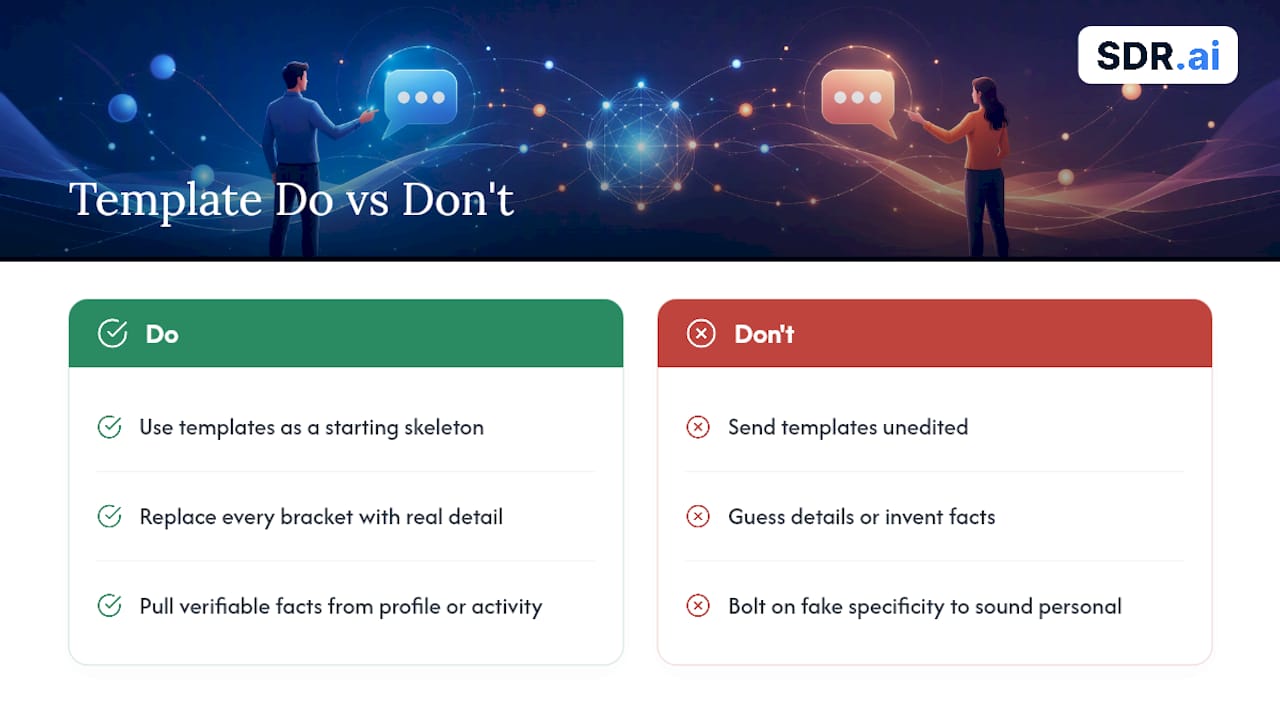
Templates work fine as a starting skeleton. The failure mode is sending them unedited. Every bracket below needs a real detail swapped in before you hit send.
Content engagement connection note: "Really enjoyed your take on [specific point from their post] — [one-line reaction or question]. Would be glad to connect and follow more of your thinking here."
Mutual connection intro: "[Mutual name] mentioned you're doing interesting work in [specific area]. I'm focused on similar problems from the [your angle] side. Would love to connect."
New role or promotion signal: "Congrats on the move to [new title/company] — that's a fast jump in [timeframe if known]. Curious how the first few weeks are shaping priorities. Open to connecting?"
Hiring or funding signal: "Saw [company] just [raised a round / opened several sales roles] — usually means outbound becomes a priority fast. I work with teams navigating exactly that stretch. Worth a quick connect?"
Cold but targeted: "Your background in [specific, verifiable detail from their profile] caught my eye. I work with [specific type of company] on [specific problem]. Thought it was worth reaching out directly."
Follow-up: value-first message: "Following up with something relevant. [Insight, article, or observation tied to their industry/role]. Thought it might be useful given [specific reason tied to their situation]."
Follow-up: the direct ask: "Given [specific detail from earlier exchange or their public activity], would it make sense to grab 15 minutes to compare notes on [specific topic]? Happy to work around your schedule."
The pattern across all seven: every bracket maps to one real, verifiable fact you pulled from their profile or activity, not a guess. Swap in the wrong detail and the message reads worse than a generic one, because now it's obviously copy-pasted with fake specificity bolted on.
Common LinkedIn Messaging Mistakes That Kill Your Reply Rate
Most low-performing outreach fails for the same handful of reasons, and they're all fixable in minutes.
- Pitching in message one. Asking for a call before you've said one word to each other reads as spam, even with a polished template.
- Writing paragraphs instead of notes. If your connection request needs a scroll bar, cut it by two thirds.
- Reusing the exact same template for every prospect. Reviewers on tool comparison sites like G2's listings for outreach software often flag identical, unedited messaging as the fastest way to get ignored or reported, regardless of which tool generated it.
- Referencing something vague instead of specific. "I saw your profile" isn't a signal. "Your post on churn last week" is.
- Sending at volume without rotating phrasing. Identical message structures sent dozens of times a day trip spam detection faster than the content itself does.
Pro Tip: Before scaling any template, send it to five prospects manually first and track replies. If it underperforms at five, it will underperform at five hundred, just with more platform risk attached.
Test changes one variable at a time, hook style, length, or close, and give each version at least 20 to 30 sends before judging it. Smaller samples are just noise.
Can AI Help You Personalize LinkedIn Messages Safely?
AI tools split into two camps, and the difference matters more than most sellers realize: draft-only generators that produce a message for you to review and send, and full send-mode automators that fire messages without a human touching them first.
Draft-first is the safer, more defensible pattern. A config-driven Claude Agent Skill built for LinkedIn outreach demonstrates this well: it reads profile signals, scores leads, drafts nurture-first DMs, and queues follow-ups, but a human still reviews and sends. Similarly, draft-first outbound agents that research prospect and company signals before producing message variants let you scale research without surrendering judgment on send.
A few safeguards matter regardless of which tool you use:
- Run a manual tone check on any AI-drafted message before it goes out, especially for high-value prospects
- Randomize small phrasing variations across a batch to avoid identical-message detection
- Keep daily send volumes low per account rather than blasting from one profile
- Never let automation touch sensitive personal data beyond what's already public on the profile
LinkedIn's own terms restrict scraping and unauthorized automation, so any workflow you build should stay inside what the platform's guidance on personalization actually permits, treating automation as a research and drafting aid, not a replacement for the send button.
How SDR.ai Applies Signal-Driven Outreach at Scale
SDR.ai builds its outbound process around the same principle: target the Ideal Customer Profile using intent signals, not spray-and-pray lists, then message with nurture-first notes instead of pitches. Every reply gets handled by a human, not a bot, so conversations stay genuine once someone responds. The company runs its calling side through a proprietary AI-Dialer, letting one person manage parallel outreach across channels rather than one contact at a time.
If you want to replicate this internally before considering outside help, run this checklist:
- Confirm your ICP is narrow enough to research individually, not just filtered by title
- Build a signal-scanning habit before every send, not just before campaigns
- Route every reply to a human within hours, not days
- Track reply rate on message one as your primary early signal
What Actually Works After a Week of Doing This
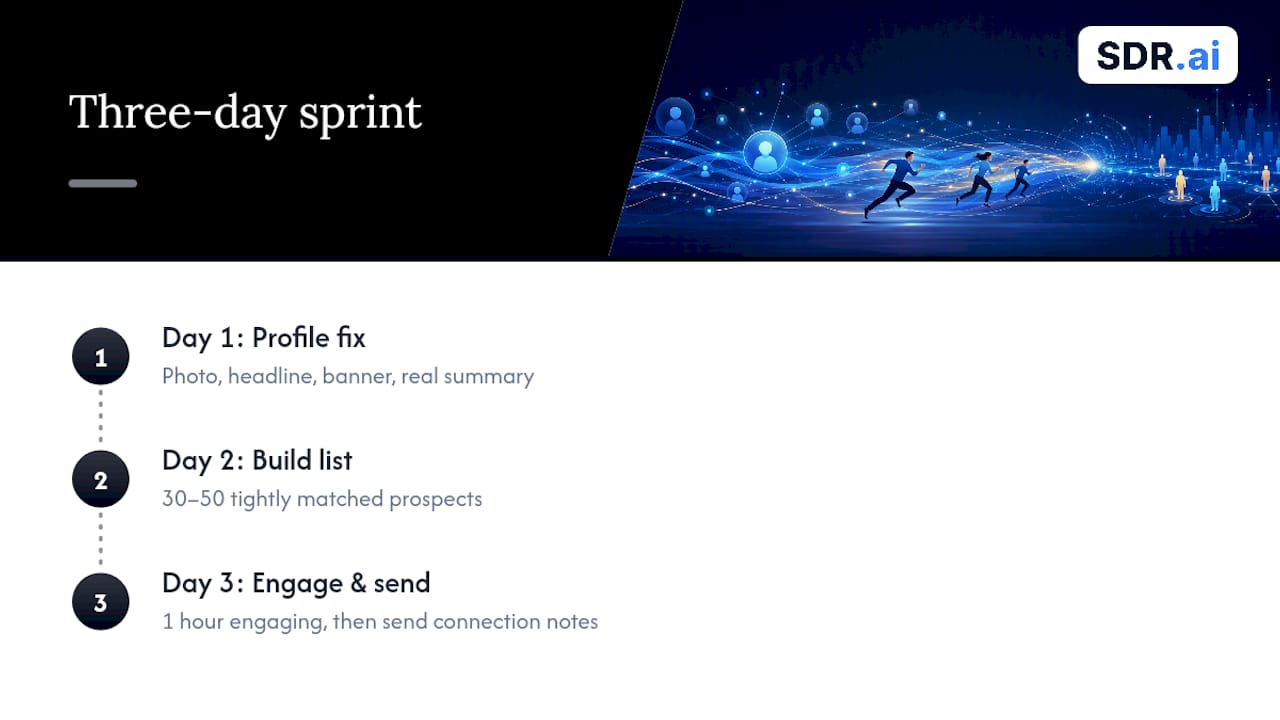
Run a three-day sprint before you send a single message: day one, fix your profile (photo, headline, banner, a real summary, not a job description). Day two, build a list of 30 to 50 prospects who match your ICP tightly enough that you could describe each one in a sentence. Day three, spend an hour engaging with their content before sending your first batch of connection notes.
By day seven, track three numbers: acceptance rate, reply rate on your first value message, and meetings actually requested. Don't judge day one's batch by day one's replies, LinkedIn conversations take days to unfold.
If you build one habit from all of this, make it this: never send a message without one concrete, recent line from the prospect's own activity in it. Everything else is optimization. That single habit is the difference.
— Chad
A Faster Way to Run This Playbook: SDR.ai
Everything in this article works. It also takes real hours: research, drafting, follow-up tracking, reply management. SDR.ai runs that exact playbook as a managed service, giving founders and sales leaders at Series A and B companies a way to get signal-driven, nurture-first outreach running without building an SDR team from scratch.
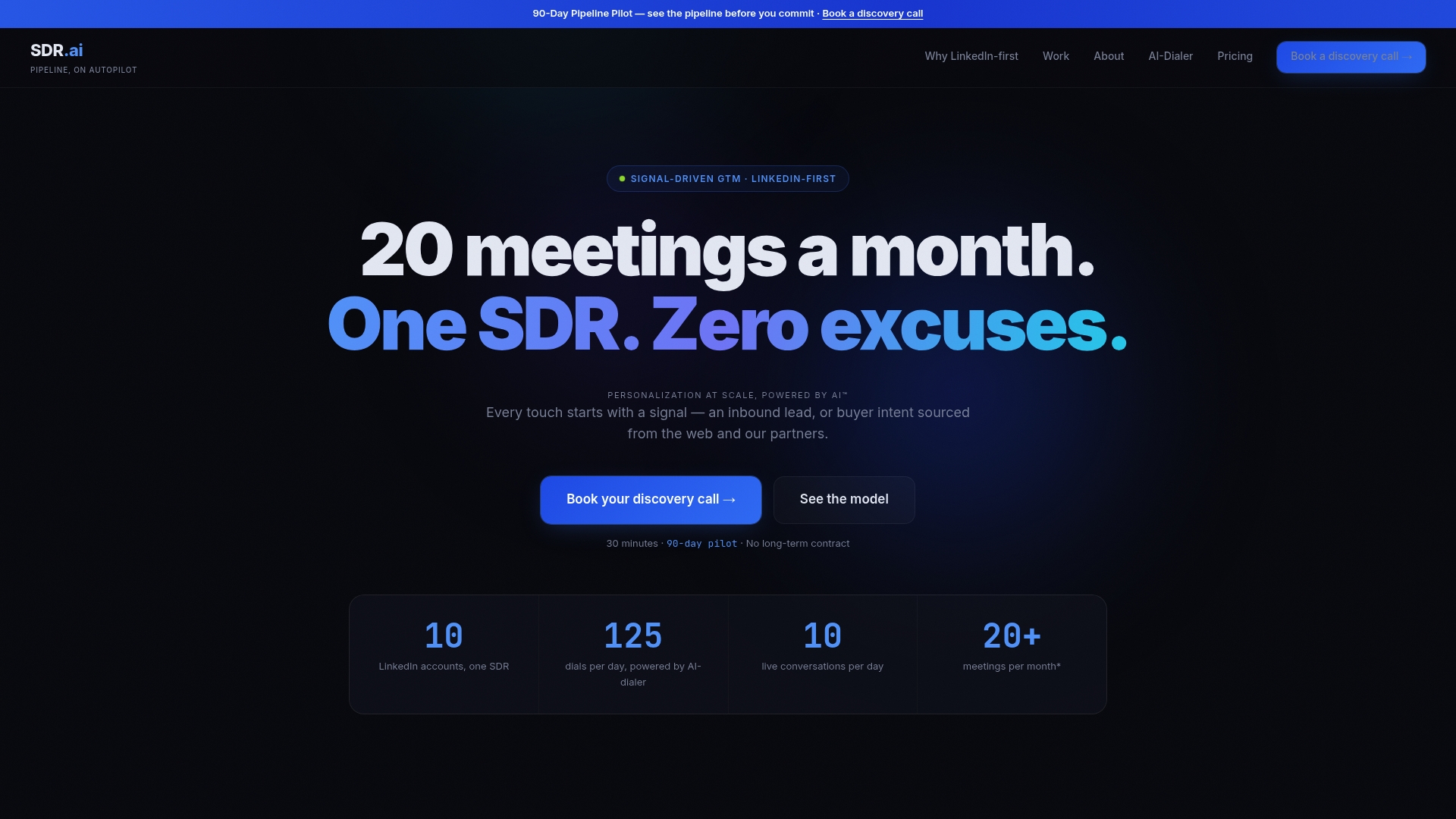
The approach stays consistent with what this article recommends: LinkedIn-first targeting based on intent signals, messaging that leads with relevance instead of a pitch, and a human who handles every reply personally rather than letting a bot carry the conversation. SDR.ai's AI-Powered Outbound service is offered as a subscription with a monthly fee and setup cost; current prices are available on their website. For teams that also handle calling, the AI-Dialer is available under a licensing model with an annual fee and onboarding cost; current pricing details are listed on their website.
If you'd rather see the operational framework first, Sdr walks through how the Data, Digital, and Dials engine fits together. Ready to see it applied to your own pipeline? Book a demo and walk through your ICP with the team directly.
Sources
- How to Personalize Linkedin Messages
- LinkedIn connection message example
- Prsona — AI LinkedIn message generator
FAQ
How Do You Personalize a LinkedIn Message?
Reference one specific, verifiable detail from the recipient's profile, recent post, or activity, then connect it to why you're reaching out. Skip name and company tokens alone; those read as generic even when technically "personalized," since real personalization means tailoring the note to relevant profile details rather than filling in a template.
How Many Personalized Messages Can You Send on LinkedIn?
LinkedIn doesn't publish a fixed public cap, and limits shift based on account age, activity, and whether you're using Sales Navigator. The safer approach is keeping daily volume low per account and prioritizing message quality over batch size, since identical high-volume sends are more likely to trigger platform restrictions than personalized, varied ones.
What Is the 4-1-1 Rule on LinkedIn?
The 4-1-1 rule is a content ratio guideline suggesting four pieces of others' content shared or engaged with, one piece of your own original content, and one promotional message, for every six posts or interactions. It's a social media content-mix concept rather than a specific outreach messaging rule, and applying it loosely to LinkedIn simply means engaging with others' posts far more often than you pitch.
Are Personal Messages on LinkedIn Private?
Direct messages sent through LinkedIn are private between the sender and recipient, visible only to the platform for moderation and policy enforcement purposes. They aren't visible to your broader network or searchable the way public posts and comments are.
Does SDR.ai Offer Personalized LinkedIn Outreach as a Service?
Yes. SDR.ai runs AI-Powered Outbound priced at 2500 USD per month with a 500 USD setup fee, combining LinkedIn-first signal targeting with human-handled replies for founders and sales leaders who want pipeline without building an in-house SDR team.