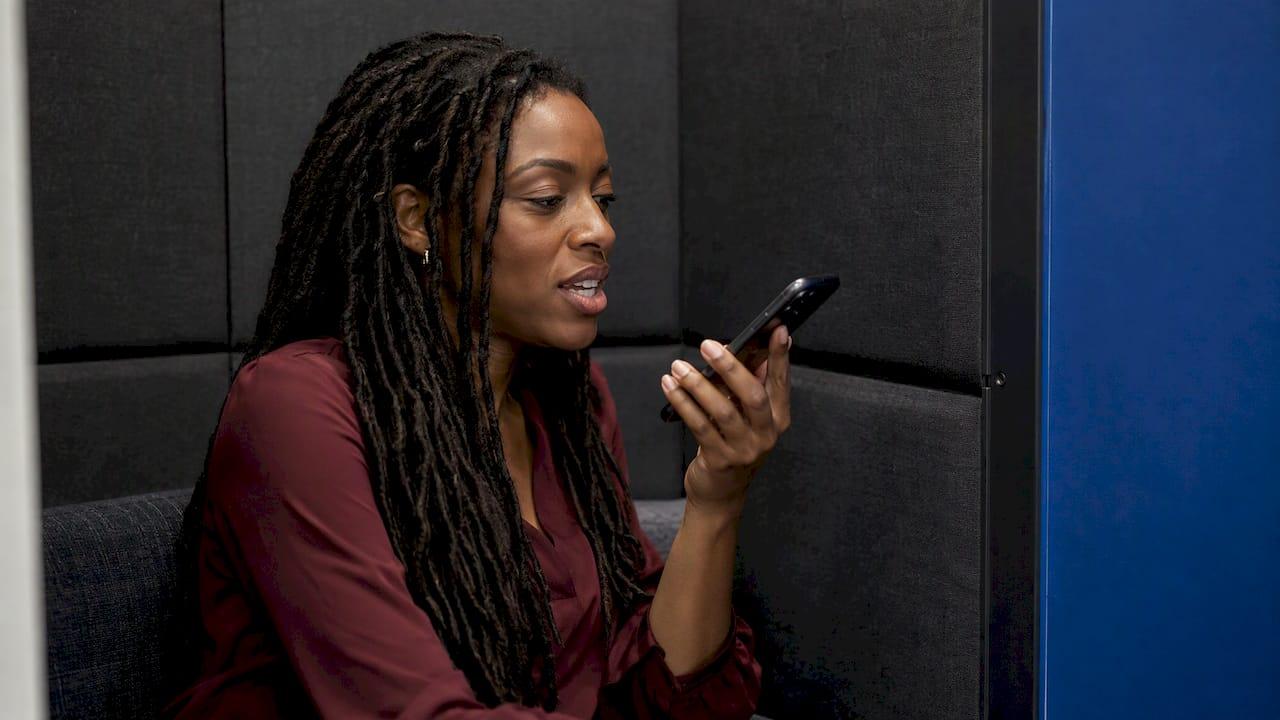
LinkedIn voice notes work best as a second touch. Send one after a prospect accepts your connection request or replies to a text message. Keep it under 30 seconds, open with their name, mention one specific thing about them, and ask one easy question. Don't send one as a cold first message, and don't treat it as a bulk tactic. The value comes from effort the prospect can hear.
This guide covers where voice notes fit in a LinkedIn sequence, how to record and send them, what to say, how to follow up, and when it makes sense to hand the whole motion to a team that runs it for you.
TL;DR
- Use voice notes as a follow-up to a text touch or an accepted connection, not as the opening message.
- Aim for 30 seconds or less. LinkedIn caps a voice note at 60 seconds, and shorter is easier to finish listening to.
- Personalize with one real signal: a role change, a shared event, a post they wrote. Then ask one question.
- Always follow up in text after a voice note, because many prospects listen late or never.
- Voice notes are for your best-fit accounts. They don't scale, so pair them with a signal-driven text sequence for the rest.
Table of Contents
- What LinkedIn voice notes are and who can receive them
- Why voice notes stand out in a crowded inbox
- Where a voice note fits in your outreach sequence
- How to record and send a LinkedIn voice note
- What to say in 30 seconds
- How to follow up after a voice note
- Who should and shouldn't get a voice note
- Perspective: where voice fits in a managed outreach engine
- Measuring whether voice notes work for you
- When to get help running LinkedIn outreach
- FAQ
- Sources
What LinkedIn voice notes are and who can receive them
A LinkedIn voice note is a short audio message sent inside LinkedIn's direct messaging, like a mini voicemail. The prospect taps play and hears you, instead of reading another templated paragraph.
LinkedIn launched the feature in July 2018. According to Forbes, it limited notes to 60 seconds and to first-degree connections. That second limit shapes your whole approach. You can't send a voice note to a stranger. You have to earn the connection first, which pushes you toward a sequence: connect, then message, then voice.
The same Forbes piece reports that six years after launch, only 1 in 10 messages sent through the outreach tool Kondo were voice notes. Few salespeople use them, so a good one still gets noticed.
Why voice notes stand out in a crowded inbox
Most B2B decision-makers get a steady stream of automated connection requests and messages that read as if they came from the same template. Voice notes break that pattern for a simple reason: they are hard to fake at scale. Forbes notes that because voice notes are uncommon and can't be automated or bulk-sent, they can cut through heavily automated text outreach.
The benefits sales practitioners report are consistent:
- A more human feel. The prospect hears your tone, pace and warmth in a few seconds.
- Visible effort. A message that names the person and the reason you're reaching out signals that you recorded it for them.
- Novelty. Many prospects have never received one, and a first-time reaction often helps start a conversation.
There are also trade-offs to plan around. Cognism's guidance for sales teams points out that a voice note can't be skimmed the way text can. A prospect in a meeting may postpone listening and then forget. Some older prospects also prefer reading. These are reasons to design the sequence well, not reasons to skip the format. Pair every voice note with a short text so the prospect can reply however suits them.
If you're building a wider system of automation around your outreach, the principle stays the same. Marketing automation and lead generation tools can handle volume and timing, while the personal touches, such as a voice note to a top-tier account, are where a human adds the most.
Where a voice note fits in your outreach sequence
The best-performing placement is after some kind of prior contact. Unkoa's lead-generation guide advises using voice as a follow-up or interruption after an initial text touch rather than as the first message. It also advises skipping it when the recipient is unlikely to be able to listen conveniently.
Here is a simple sequence we'd recommend for a high-fit account:
| Step | Channel | Purpose |
|---|---|---|
| 1 | Connection request | Short, relevant, no pitch |
| 2 | Text message after acceptance | Thank them, reference a signal, ask a light question |
| 3 | Voice note (about 3 to 5 days later if there's no reply) | Add warmth and a specific hook |
| 4 | Text follow-up | Restate the question in writing, make replying easy |
| 5 | Call or email | Use another channel if LinkedIn stays quiet |
Another option is to send the voice note right after the connection is accepted. Cognism's practitioners recommend sending a researched, personalized voice note at that moment, tailored to the prospect's role, industry or pain points. Both orders can work. What matters is that you've done real research first.
Ask permission before you send
A tactic worth borrowing is asking first. The same Cognism guidance suggests a line such as "Great to connect. Do you mind if I send a voice note?" It mirrors how people behave on the phone, and it tells you whether the prospect is in a place to listen. A yes also means the voice note arrives with some expectation attached, which helps with the forgotten-in-the-inbox problem.
How to record and send a LinkedIn voice note
The mechanics are simple, and the steps below describe how the feature has worked in the LinkedIn mobile app. Menus change, so check your own app if something looks different.
- Open the conversation with a first-degree connection in LinkedIn messaging.
- Allow microphone access if your phone or browser asks. Without it, recording won't start.
- Tap and hold the microphone icon next to the message box. A timer shows how long you've been recording.
- Release to send, or slide to cancel if you want to start over. Remember the 60-second cap.
- Add a one-line text right after, so the prospect sees context in the preview.
Practical tips from people who send these every day:
- Record in a quiet room. Background noise makes you sound less credible.
- Smile as you speak. Warmth carries in the voice.
- Don't read a script word for word. Write three bullet points and speak naturally.
- Do a practice recording to hear your pace. Most people talk too fast on the first try.
- Record on mobile if you can. Recording is typically easier there, and a short, slightly informal clip sounds more natural.
What to say in 30 seconds
Keep it short. Cognism's practitioners recommend 30 seconds at most for sales voice notes. Treat that as a ceiling. The sweet spot is often 20 to 30 seconds, long enough for one idea and one question.
The structure that works
A reliable shape has four parts:
- Name and who you are. "Hi Dana, it's Chad from SDR.ai."
- The reason you're reaching out to her specifically. Her role, a post, a hire, a funding announcement, a shared event.
- A one-sentence teaser of value. What you've seen or can share, not a product pitch.
- One easy question or call to action. Something she can answer in a single line.
The example Cognism shares follows this logic. It opens with the prospect's name, identifies the sender, references the prospect's sales leadership role, describes what the company does, and asks whether the prospect uses something similar. Another framework, from Sales Labs, uses Trigger, Question, Teaser and CTA. Its example refers to a shared event, asks about a problem, offers a framework and invites the prospect to request it.
Example scripts you can adapt
After an accepted connection (a founder at a Series A software company):
"Hi Priya, thanks for connecting. I saw you just opened two SDR roles, so I figured outbound is a focus right now. We've been looking at how early teams book their first meetings without hiring a full team. Are you building outbound in-house or still deciding? Happy to share what we're seeing."
After an event:
"Hi Marcus, I caught your session at the conference on partner-led growth. You mentioned follow-up as the bottleneck. How are you handling replies from leads right now? I've got a short checklist on that and can send it over if useful."
After no reply to a text:
"Hi Elena, quick one. I sent a note about your hiring plans last week and didn't want it to get buried. One question: is outbound pipeline a priority this quarter? A yes or no is perfectly fine."
Notice what these have in common. None pitches pricing. None runs past about 30 seconds when read aloud. Each contains one specific, verifiable detail about the person and ends on one question.
If you produce video or audio assets as part of your outreach, AI testimonial videos are one way teams create supporting proof to send once a prospect shows interest. Keep the voice note itself personal and real.
Mistakes that sink voice notes
- Pitching in the first 10 seconds. Open with the person, not your product.
- Rambling past a minute. You can't, because of the cap, but even 45 seconds can feel long.
- Generic praise. "Love what you're doing at your company" is easy to spot as boilerplate.
- No question. Without an ask, there's nothing to reply to.
- Sending to the wrong people. If a prospect rarely uses LinkedIn on mobile, a voice note may sit unheard.
How to follow up after a voice note
Assume the prospect has not heard it yet. Cognism's practitioners note that a busy recipient may postpone listening and forget. Your follow-up should make replying easy without nagging.
Same day: a one-line text. Something like "Sent you a quick voice note about your outbound plans. Here's the question in short: are you building in-house or outsourcing?" The prospect can reply to the text even if they never press play.
Three to five days later: a different angle. Don't repeat the voice note. Add a small piece of value: a short insight, a relevant stat, a short checklist. Our own tests on outreach send times are a useful way to think about when your message is most likely to land.

If there's still silence: change the channel. An email or a call after a LinkedIn touch gives you a second chance. If you're running multiple channels, keep the story consistent, so each message builds on the last.
If the voice note gets a reply: respond fast, in the same medium the prospect chose. If they wrote back in text, answer in text. Then move to a call as soon as they show intent.
Cognism's practitioners also describe sending a follow-up message that asks for feedback when someone doesn't reply. It's a low-pressure way to restart the conversation.
Who should and shouldn't get a voice note
Voice notes are a tool for your top accounts, since each one takes real time to research and record. Use them where the potential deal size justifies it.
Good candidates:
- Founders and CEOs who are active on LinkedIn mobile
- Sales leaders who have just changed roles or opened hiring
- Prospects who have already engaged with a post, a message or a profile view
Poorer candidates:
- People who have never replied to anything on LinkedIn
- Prospects likely to be in a setting where they can't listen
- Accounts with no clear trigger, because you won't have a genuine hook
For everything else, a text-based, research-first sequence does the work. That's where signal-driven targeting comes in: picking out the prospects showing intent, so your best effort goes where it's most likely to pay off. Our guides on personalized LinkedIn messaging and LinkedIn outreach personalization show how we approach it, and our walkthrough of 30 to 45 second LinkedIn voice messages goes deeper on format.
Perspective: where voice fits in a managed outreach engine
We see voice notes as a precision instrument, not a volume play. The teams we work with are usually founders and sales leaders who don't have time to chase every lead, and they don't need more noise in their prospects' inboxes. They need the right conversations with the right accounts.
Our model is LinkedIn first. We identify your ideal customer profile and the intent signals that show who is likely to be in market. Then we reach out with messages built around one real signal. A human SDR handles every reply, which is where trust gets built. Voice is one of the most human formats LinkedIn offers, so it belongs in that conversation exactly where a person would naturally pick up the phone: after the first touch, with a reason.
What we've learned is that the format matters less than the discipline behind it. Research first, one signal, a short ask, a clear follow-up. When those four things are in place, a text can work as well as audio. When they aren't, no format will rescue the message. That's why we focus on measurable pipeline math and a transparent process, so you can see what is happening at each step.
If you'd rather not build an SDR team to run all of this, that's the gap our service is designed to fill.
Chad
Measuring whether voice notes work for you
Don't judge the format on gut feeling. Track a few numbers for a few weeks:
- Reply rate to voice notes versus text-only follow-ups to similar prospects
- Positive reply rate, meaning replies that move toward a meeting
- Meetings booked per 20 or 30 notes sent
- Time per note, including research, so you know the true cost
Keep the audience consistent. Compare similar roles and company sizes, send at similar times, and change one variable at a time, such as opener, length or day of the week. A small, clean test beats a large, messy one. For a deeper look at how to build the underlying system, see our pieces on LinkedIn outreach automation, Sales Navigator outreach and how to increase qualified meetings.
When to get help running LinkedIn outreach
Voice notes take time: research, recording, follow-up and tracking replies. For a founder or a small sales team that's already stretched, that time is often the hardest part.
We built SDR.ai to take that work off your plate. Our AI-Powered Outbound service runs LinkedIn-first targeted outreach, with personalized messaging, intent-based lead identification, warm calling with an AI dialer and multichannel follow-up. A human SDR handles every reply. It's $2,500 per month with a one-off $500 setup fee.
If you'd prefer to run outreach yourself, The SDR.ai Blueprint lays out our playbook, and our AI Dialer is available for sales teams at $2,400 per year plus a one-off $500 onboarding fee. To see how the managed service works, start at SDR.ai.
FAQ
How long should a LinkedIn voice note be?
Aim for 30 seconds or less. LinkedIn caps notes at 60 seconds, but practitioners such as Cognism's SDRs recommend a 30-second maximum for sales. Shorter notes are easier to listen to between meetings.
Can I send a voice note to someone I'm not connected with?
No. When the feature launched, it was limited to first-degree connections, as Forbes reports. Send a short, relevant connection request first, then follow up with a voice note once they accept. Check LinkedIn's current messaging options in your app for any changes.
Should a voice note be my first message?
Usually not. Unkoa's guidance suggests using voice as a follow-up after an initial text touch. A short text first gives context, and you can ask permission to send audio.
What should I do if nobody replies to my voice notes?
Send a short text restating your question, then try a different angle a few days later. Check your targeting too: a note without a real trigger, or sent to someone who rarely uses LinkedIn on mobile, is likely to get ignored. Then move to email or a call.
Sources
- LinkedIn Voice Messages: The Fastest Path To Your Next 10 Clients (Forbes)
- LinkedIn voice notes for sales (Cognism)
- LinkedIn Voice Messages for Lead Generation (Unkoa)
- How I use LinkedIn voice notes to book meetings remotely (Sales Labs)