
LinkedIn Smart Links bundle documents, decks, or videos into one trackable Sales Navigator URL that shows who opened it, what they looked at, and for how long. You need Sales Navigator Advanced or Advanced Plus to create them. The payoff is immediate: instead of guessing which prospects are warm, you follow up on the ones actually reading your pricing slide at 9 p.m.
TL;DR:
- Smart Links support detailed engagement tracking, including time spent per page, return visits, and timestamps, but only for signed-in LinkedIn viewers.
- They are most effective when used to identify warm prospects through behavioral signals like extended page views or repeat visits, rather than just open counts.
- Creating and managing Smart Links involves quick steps to upload files, set permissions, and name links by campaign or prospect rather than generic labels.
- They are limited by unsupported file sizes, format restrictions, and potential attribution issues from anonymous or forwarded views.
- Combining Smart Links data with UTM parameters and follow-up actions maximizes their value for qualification and scheduling meetings.
Table of Contents
- What Are Smart Links in LinkedIn Sales Navigator?
- How Do You Create and Share a Smart Link?
- What Do Smart Links Track, and How Do You Read the Data?
- High-Impact Smart Links Use Cases for Sales Outreach
- Limits, Privacy Considerations, and Common Gotchas
- Should You Rely on Smart Links or UTMs for Attribution?
- How Sdr Turns Engagement Signals Into Booked Meetings
- Turn Engagement Data Into a Full Outreach Engine
- Authoritative Docs and Practical Guides
- Sources
What Are Smart Links in LinkedIn Sales Navigator?
A Smart Link is a single URL that LinkedIn generates when you upload one or more files, or link out to a webpage, inside Sales Navigator. Anyone can click it. No login required. But the tracking data behind it only unlocks fully when the viewer is signed into LinkedIn, which is when Smart Links resolve viewer identity and attach a name to the click instead of an anonymous timestamp.
This feature lives inside Sales Navigator Advanced and Advanced Plus. Core-tier users don't get it. If you're on the entry plan and wondering why the button isn't showing up, that's the reason.
Smart Links support common file formats, including PDFs, PowerPoint decks, Word documents, images, and video files, plus external website URLs, all bundled under one shareable link with a defined file size ceiling per upload. Non-Sales Navigator viewers see the content just fine. They just don't show up as a named row in your analytics.
How Do You Create and Share a Smart Link?
Building one takes about two minutes once you know where to look. Sales Navigator tucks the feature under its content or messaging tools, and the workflow rarely changes across account tiers.
- Open Sales Navigator and find the Smart Links section, usually accessible from the homepage or within a messaging thread.
- Click "New Smart Link" and give it a title your future self will recognize. Skip generic labels like "Doc1."
- Upload your files or paste a URL. You can combine a case study PDF with a product video in the same link.
- Set permissions: decide whether viewers can download the files and, where the option is available, add an expiration date.
- Create the link. LinkedIn generates a unique URL instantly.
- Paste that URL directly into an InMail, a LinkedIn message, or an outbound email sequence. It behaves like any other link, no special formatting needed.
- Return to the Smart Link at any time to edit its contents, revoke access, or extend/shorten its expiration window.
One habit worth building early: name your Smart Links by prospect or campaign, not by file. "Acme Corp - Pricing Deck - March" tells you more six weeks later than "Deck_final_v3" ever will. Because you can swap files inside an existing link without changing the URL, you can update a nurture sequence's attached content without re-sending a new link to everyone already holding the old one.
What Do Smart Links Track, and How Do You Read the Data?
The Smart Links analytics dashboard reports far more than a simple open or click. It's closer to a mini heat map of buyer attention.
- Total clicks on the link, whether or not the viewer is signed in.
- Viewer identity, resolved only for signed-in LinkedIn members.
- Time spent per page or slide, so you can see exactly where attention concentrated.
- Total time on the document, aggregated across the whole session.
- Return visits, flagging someone who came back to the deck a second or third time.
- Timestamps, showing when each view happened.
Pro Tip: A prospect who spends 90 seconds on your pricing page and comes back the next day is a warmer lead than one who clicked once and vanished after four seconds. Weight your follow-up priority by page-level dwell time, not just total opens.
The accuracy has real limits. Anonymous (non-signed-in) views show up as activity with no name attached, and a link forwarded to a colleague inside the buying committee will often register as one more anonymous or misattributed hit rather than a clean new contact.
High-Impact Smart Links Use Cases for Sales Outreach
Engagement data only matters if it changes what you do next. Here's where Smart Links earn their keep in a real sequence.
- Warming up cold prospects. Send a short, relevant case study as a Smart Link in your first InMail. A return visit within 48 hours is your cue to send a direct meeting request instead of another soft touch.
- Qualifying stated interest. When a prospect claims they're "just gathering information," check whether they actually opened the pricing section. If they spent real time there, treat the deal as further along than their words suggest.
- Account-based playbooks. Send the same Smart Link to multiple stakeholders at one account and compare who engaged. The pattern often reveals your real champion.
- Nurture sequences. Rotate lighter content, like an industry brief, for prospects who haven't engaged yet, and save the detailed ROI deck for those already showing return visits.
Match content to stage: early-stage prospects respond better to short, credibility-building assets, while late-stage conversations benefit from pricing sheets and implementation guides that reward a closer read.
Limits, Privacy Considerations, and Common Gotchas
Smart Links are useful, not omniscient. Knowing where the data breaks down keeps you from overreading a signal.
- Anonymous viewers show activity but no identity, so a spike in clicks doesn't always mean a spike in named leads.
- Forwarded links create attribution ambiguity. The person who opens it may not be the person you sent it to.
- File formats and sizes are capped, so oversized video files or unsupported formats will bounce at upload.
- There's no guaranteed offline access. If the recipient's connection drops mid view, that session may not log cleanly.
Pro Tip: Say plainly in your message that you're sharing tracked content, something like "here's a quick deck, feel free to skip to page 3 on pricing." Being upfront about tracking reduces the friction that comes from feeling watched, and it usually improves open rates rather than hurting them.
Set expirations on anything sensitive, and never attach material you wouldn't want floating around outside the intended account.
Should You Rely on Smart Links or UTMs for Attribution?
Smart Links tell you who's interested and how interested. They were never built to be your revenue attribution system, and treating them that way leads to reporting gaps.
- Use Smart Links for engagement qualification: who opened it, what they read, whether they came back.
- Use campaign-level dynamic UTM tracking parameters when you need deterministic campaign or creative-level counts that tie cleanly into your CRM.
- LinkedIn preserves query parameters on posted URLs, so a properly tagged link keeps its UTM data intact even after it's shared in a post or InMail, according to Track Link's guidance on reconciling LinkedIn clicks with site analytics.
- Keep UTM naming conventions consistent across reps and campaigns, and test every tracked link before it goes out in a live sequence.
Combine both. Smart Links answer "who's warm," UTMs answer "which campaign drove it."
How Sdr Turns Engagement Signals Into Booked Meetings
Smart Links data can be treated like a prioritization signal rather than a vanity metric. Return visits and page-level dwell time can feed into dialing sequences, so warm prospects get called before they go cold. That's the difference between reading analytics and acting on them promptly.
— Chad
Turn Engagement Data Into a Full Outreach Engine
Sdr is the execution layer that picks up right where Smart Links analytics leave off. You can see who's warm; Sdr calls them, at scale, before that interest fades. Our AI-Dialer runs parallel outreach across your prioritized list, turning engagement signals into a live conversation instead of a spreadsheet nobody has time to work.
Pair that with our method for identifying intent and you get a system that doesn't just track interest, it acts on it the same day. If you're already using Smart Links to spot warm accounts, the next logical step is putting that list in front of a system built to call it. Book a demo and see how fast a Smart Link view can turn into a booked meeting.
Authoritative Docs and Practical Guides
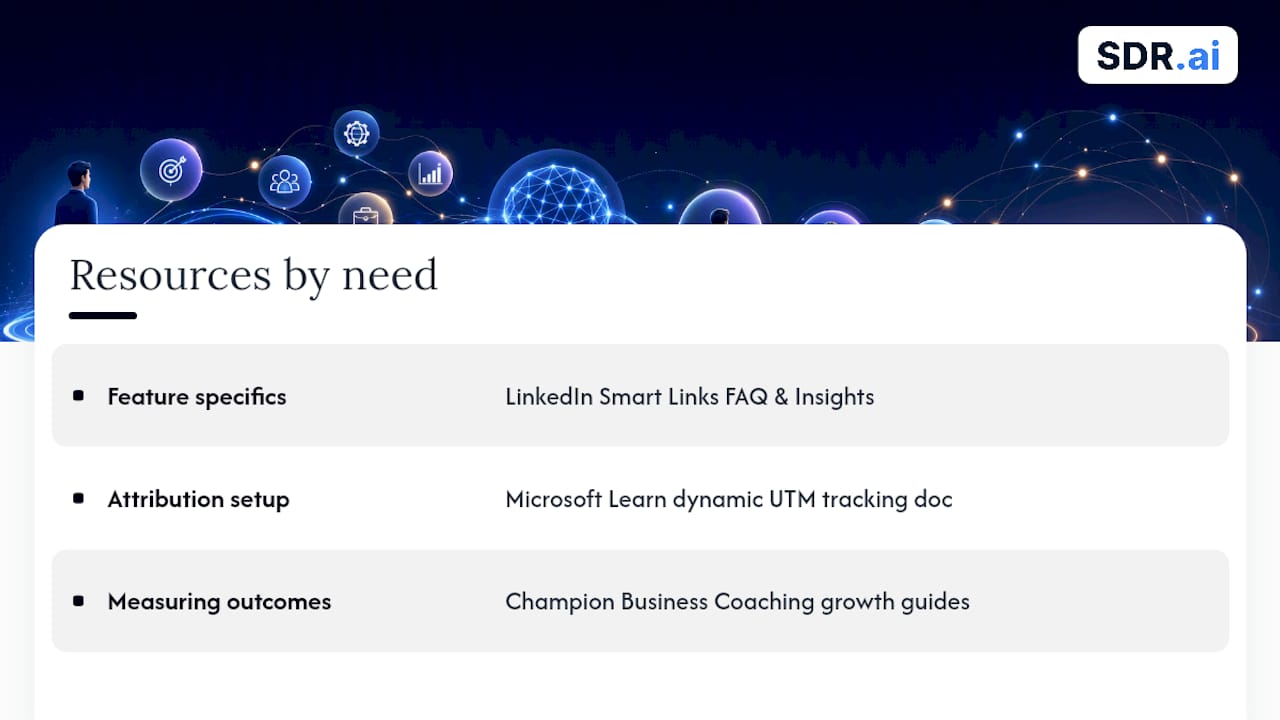
For feature specifics, start with LinkedIn's own Smart Links FAQ and the Smart Links Insights help page. For attribution setup, Microsoft Learn's dynamic UTM tracking documentation covers campaign-level parameters. For measuring outcomes once links are live, Champion Business Coaching's growth guides offer a useful framework on reading clicks and engagement against real lead-generation goals.
Sources
- Smart Links in Sales Navigator FAQ
- How to Track Links from LinkedIn - Free B2B Analytics | Track Link