
A power dialer's core benefit is simple: it hands reps 3 to 8 times more calls per hour by eliminating the manual click and wait between numbers, which turns idle minutes into live conversations. Teams typically see meaningful lifts in booked meetings within the first month. The rest comes down to features, rollout discipline, and compliance controls, all covered below.
TL;DR:
- Power dialers can increase calls per hour from 15-30 manually to over 60-150, boosting conversation volume and pipeline potential significantly.
- They enable a rep to make 3 to 4 times more live conversations daily, resulting in higher meeting-booked rates and a fuller sales calendar.
- Reclaimed time and cleaner CRM data allow managers to focus on coaching and analysis instead of manual logging and follow-up.
- Proper implementation requires clean data, CRM mapping, and careful monitoring of KPIs like conversion rates and cost per meeting during pilots.
- Benefits are most pronounced for teams making 30 or more calls daily per rep, with smaller volumes less likely to justify the setup costs.
Table of Contents
- Why Sales Teams Use Power Dialers: The Core Benefits
- How a Power Dialer Works (and How It Differs From Other Dialers)
- Key Features That Actually Drive These Benefits
- ROI Math and the KPIs That Prove It's Working
- Rolling Out a Power Dialer Without Breaking Anything
- How SDR.ai Approaches Dialer-Driven Outbound
- Who Actually Benefits From a Power Dialer
- Want the Benefits Without Managing the Dialer Yourself?
- Sources
- FAQ
Why Sales Teams Use Power Dialers: The Core Benefits
The number that matters most to a VP of Sales is calls per hour, because everything downstream (meetings booked, pipeline generated, quota attainment) traces back to it. Manual dialing tops out around 15 to 30 calls per hour once you account for looking up numbers, dialing, and waiting through rings and voicemail greetings. Power and parallel dialers push that to 60 to 150+ calls per hour, and vendors report conversion lifts of 25 to 30% when the dialer is paired with decent lead scoring.
Here's what that throughput actually buys a sales organization:
- More live conversations per shift. A rep who used to have 20 real conversations a day can realistically hit 60 to 80 once the system queues the next number automatically instead of waiting on a human to hang up and redial.
- Higher meeting-booked rates. More attempts against the same list means more chances to catch a prospect between meetings, which compounds into a noticeably fuller calendar by week two.
- Reclaimed rep time, redirected to coaching. Skipping the click-and-wait cycle reclaims hours per rep per week that managers can reinvest in call reviews, objection-handling drills, or account research instead of watching reps stare at a phone screen.
- Cleaner CRM data, faster. Auto-logged call outcomes mean a manager can pull an accurate activity report on Monday morning instead of chasing reps for notes from Friday.
- Lower cost per meeting booked. If a rep triples their dial volume without a raise, your cost per booked meeting drops by roughly the same ratio, assuming conversion rates hold.
- Better coaching material. Recorded calls and transcripts turn "I think Sarah's pitch is weak on pricing objections" into a specific, timestamped example you can play back in a one-on-one.
- Less burnout, believe it or not. Reps hate dead time more than they hate dialing. Removing the tedious parts of outbound (manual lookups, redial delays, voicemail navigation) tends to reduce the grind that drives SDR turnover.
None of this works without a live rep answering fast. The core mechanic behind these gains is that a power dialer only ever queues one line at a time, so there's no lag between "call connects" and "rep says hello." That single design choice is why power dialers close the gap between manual effort and machine-level speed without introducing the abandoned-call problem that plagues more aggressive dialing modes.
Pro Tip: Track calls per hour and conversion rate separately for the first two weeks. A dialer that boosts volume but tanks conversion usually means your list quality or script needs work, not the tool.

How a Power Dialer Works (and How It Differs From Other Dialers)
A power dialer works through a rep's contact list one number at a time, automatically dialing the next lead the moment a rep finishes disposing the previous call. There's no manual lookup, no redial, no waiting. The rep stays on a single line, and the system only places the next call once that line is free.
That "one line at a time" rule is what separates a power dialer from its cousins:
- Power dialer: Dials sequentially, one number per available rep. No abandoned calls by design, because the system never places a call it can't route to a live person.
- Parallel dialer: Dials multiple numbers simultaneously per rep and connects the rep to whichever answers first, dropping the rest. Higher throughput, but it burns through lists faster and drops more calls.
- Predictive dialer: Uses statistical models to dial ahead of agent availability, betting that some percentage of calls won't connect. Great for high-volume call centers with many available reps; risky for smaller teams because it can outpace who's actually free.
- Preview dialer: Shows the rep the contact record before dialing, letting them prep for the specific call. Slower per hour, but useful for high-value accounts where personalization matters more than volume.
Because a power dialer never places more calls than it has reps to answer them, it structurally avoids the abandoned-call risk that predictive and aggressive parallel setups carry. That trade-off matters for teams worried about caller reputation or regulatory exposure. Parallel dialers push throughput further, but only make sense once individual rep dialing volume outgrows what a power dialer's sweet spot can handle.
Key Features That Actually Drive These Benefits
A power dialer without the right feature set is just a faster way to dial the wrong numbers. Here's what separates a tool that moves your metrics from one that just looks impressive in a demo:
- CRM integration and click-to-call. Without CRM sync, most of the value disappears because reps lose contact history and managers lose visibility into what actually happened on each call.
- Voicemail detection and automated drop. If a third of your calls hit voicemail, automatic detection and a pre-recorded drop can save a rep several minutes per shift they'd otherwise spend leaving the same message by hand.
- Local presence and number pools. Calls from a local area code get picked up more often than calls from an out-of-state number, and rotating numbers protects against carriers flagging you as a spam risk.
- Call recording, transcription, and analytics. This is the raw material for coaching. A manager who can search transcripts for "pricing objection" finds coaching moments in minutes instead of scrubbing through hours of audio.
- Campaign sequencing and dispositions. Structured outcomes (no answer, callback requested, not interested) feed automated follow-up sequences instead of dying in a spreadsheet.
- Compliance controls. Timezone enforcement, dial-attempt caps per number, and consent fields baked into the workflow, not bolted on afterward.
Pro Tip: If a vendor can't show you the CRM sync working live in a demo, treat that as a red flag, not a minor gap. It's usually the first thing that breaks in production.
ROI Math and the KPIs That Prove It's Working
Run the numbers before you run the pilot. Say a rep currently makes 20 manual dials an hour and converts 2% of live conversations into a meeting. Move that same rep to a power dialer hitting 80 calls an hour at the same conversion rate, and you go from roughly 0.4 meetings an hour to 1.6. At an average deal size of $8,000 and a typical sales cycle, payback on most dialer subscriptions lands in weeks rather than months for teams with consistent outbound volume.
Watch these during any pilot:
| Metric | What it tells you | Target range to watch for |
|---|---|---|
| Live conversations/day | Raw throughput gain | 2 to 4x baseline by week 2 |
| Talk time % | How much of a shift is actual selling | Should rise steadily, not spike then crash |
| Meetings booked | The metric that ties to pipeline | Track weekly, not daily (too noisy) |
| Conversion % | Whether volume is hurting quality | Should hold flat or improve |
| Cost per meeting | The number finance actually cares about | Should drop as volume rises |
Most teams see the throughput jump in week one, conversion stabilize by month one, and a defensible ROI case by the end of the first quarter. Per-seat pricing varies widely by vendor and feature tier, so calculate your own payback using your team's actual average deal size and cycle length rather than a generic industry number.
Rolling Out a Power Dialer Without Breaking Anything
Getting the tool live is the easy part. Getting reps to trust it and getting the data clean enough to act on takes a plan.
- Clean the list first. Dedupe, verify phone formats, and confirm consent status before you load anything into a dialer. Garbage in means garbage conversion metrics out.
- Map your CRM fields before go-live, not after. Decide which disposition codes map to which CRM stages so reports are usable from day one.
- Set dialing limits deliberately. Cap attempts per number per day, enforce timezone windows so you're not calling someone at 6 a.m. their time, and rotate caller IDs across a number pool rather than burning one number into spam-flag territory.
- Pilot with a defined sample, not your whole team at once. Run 3 to 5 reps for two weeks, A/B against your current process, and coach daily on script and disposition discipline.
- Train on the boring stuff. Voicemail strategy, disposition logging, and when to hang up versus leave a message matter more to data quality than most managers expect.
- Watch KPIs weekly and be willing to pull back. If conversion drops while volume rises, that's a signal to slow dial pace or revisit list quality, not to push harder.
Pro Tip: Assign one person to own number reputation monitoring during the pilot. It's the detail everyone forgets until a carrier flags your main line as spam.
How SDR.ai Approaches Dialer-Driven Outbound
SDR.ai's approach to outbound leans on the same throughput logic covered above, applied through its own AI-Dialer, which is built around parallel dialing rather than one-line sequencing. The proof points SDR.ai cites for its managed engagements include:
- Booking over 20 qualified meetings a month with minimal manpower per engagement
- Parallel dialing claims aimed at 5 to 10x more meetings booked compared to manual outbound
- Intent-signal targeting layered on top of dialing volume, so reps call warmer lists instead of cold ones
Those capabilities map directly to the benefits discussed earlier: more live conversations, faster CRM logging, and lower cost per meeting, but delivered through a managed service model rather than a self-serve tool. If you're evaluating any vendor's meetings-booked claims, including SDR.ai's, ask for the actual pilot window, the sample size behind the number, and how "qualified" gets defined before you take a stated outcome at face value.
Who Actually Benefits From a Power Dialer
Teams doing 30 or more dials a day per rep, or losing more than a quarter of their day to manual dialing tasks, get the clearest lift from adopting one. If your outbound volume is low, say under a dozen calls a day per rep, the throughput gain won't outweigh the setup and training cost, and a preview dialer or manual process might serve you better. The honest next step for most managers reading this is a two-week pilot on a small rep group, measured against the KPIs above, before rolling anything out team-wide. Scale only after the numbers hold up under real coaching pressure, not just in the first excited week.
— Chad
Want the Benefits Without Managing the Dialer Yourself?
Everything above assumes your team has the bandwidth to hire, train, and manage reps who run the dialer day in and day out. If that's not where you are, SDR.ai offers a different route to the same outcome: a managed AI-driven outbound engine built around the AI-Dialer's parallel dialing approach, combined with intent-based targeting so calls go to prospects already showing buying signals rather than cold names on a list.
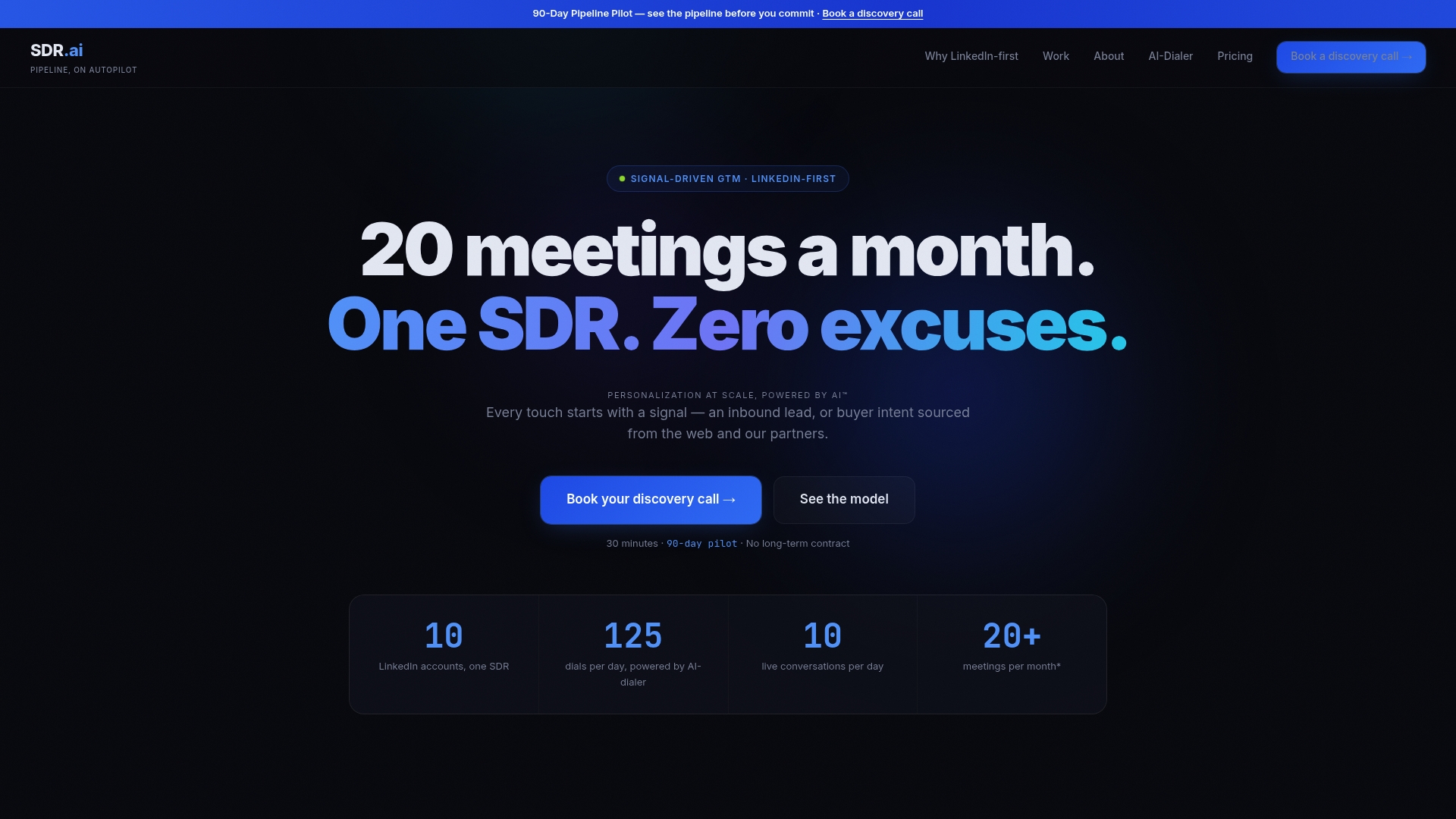
Some clients report seeing over 20 qualified meetings booked a month with a fraction of the headcount a traditional SDR team would require. Before committing to any vendor, including this one, ask for the specific pilot metrics: meetings booked per month, the measurement window used, and how a "qualified" meeting gets defined. If you want to compare this managed model against building an in-house dialer operation or hiring an agency, the breakdown on AI SDR versus SDR agency walks through the tradeoffs. Ready to see the numbers for your own pipeline? Sdr and request a pilot scoped to your list size and target market.
Sources
- The sales dialers guide for 2026
- What Is a Power Dialer? Complete B2B Guide (2026)
- TCPA tools necessary for compliance (DNC blog)
FAQ
Are power dialers illegal?
No, power dialers are legal, but they're subject to TCPA and similar regulations governing dialing windows, consent, and call frequency. The dialer itself isn't the issue; how you configure attempt caps, timezone enforcement, and consent tracking is what determines compliance.
What are the benefits of using a dialer?
The main benefits are dramatically more calls per hour (often 3 to 8 times manual volume), more live conversations and booked meetings, cleaner CRM data through auto-logging, and better coaching material from recorded calls. Reclaimed rep time is often the most underrated benefit, since it gets reinvested in coaching rather than idle waiting.
Is a power dialer free?
Most power dialers are paid software with per-seat pricing that varies by vendor and feature tier, though some CRM platforms bundle basic dialing at no extra cost. Free tiers, when they exist, typically cap call volume or strip out features like local presence and analytics.
How do power dialers work?
A power dialer automatically calls the next number on a list the moment a rep finishes the previous call, keeping one call queued per available rep at all times. This one-line sequencing is what prevents the abandoned-call problem common with predictive dialers, since the system never dials more lines than it has reps to answer them.